
Configuring Single Sign On (SSO)
Service Provider Configuration
To configure Clerq as a service provider with your Identity Provider, please refer to the Admin Panel of Clerq, which would list the Entity ID, Assertion Consumer Service (ACS) URL and the Sign-On URL.
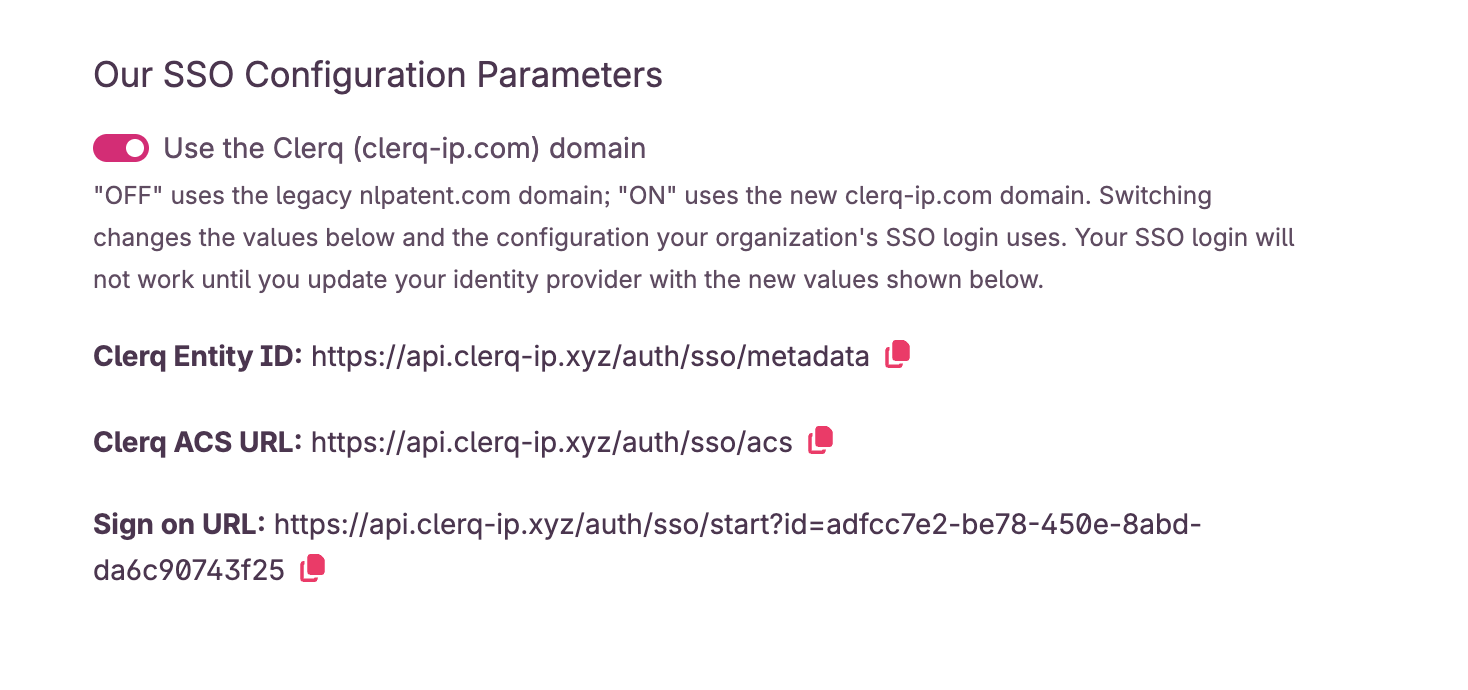
Following your specific identity provider’s instruction on how to add a new service provider, fill in the information above in their corresponding fields to configure your identity provider’s authentication process to work with Clerq as a service provider.
Attribute Mapping
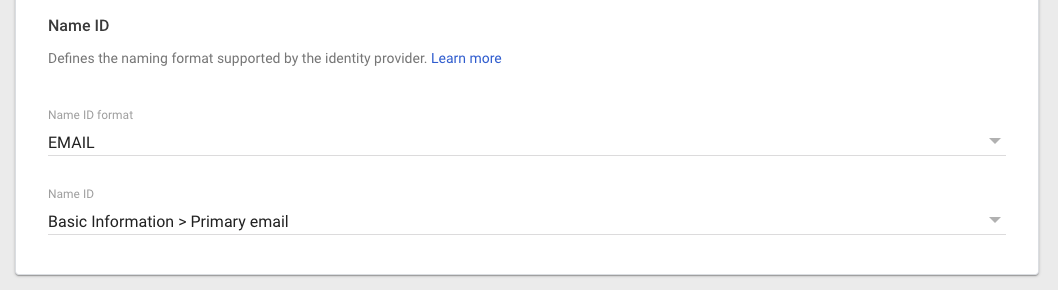
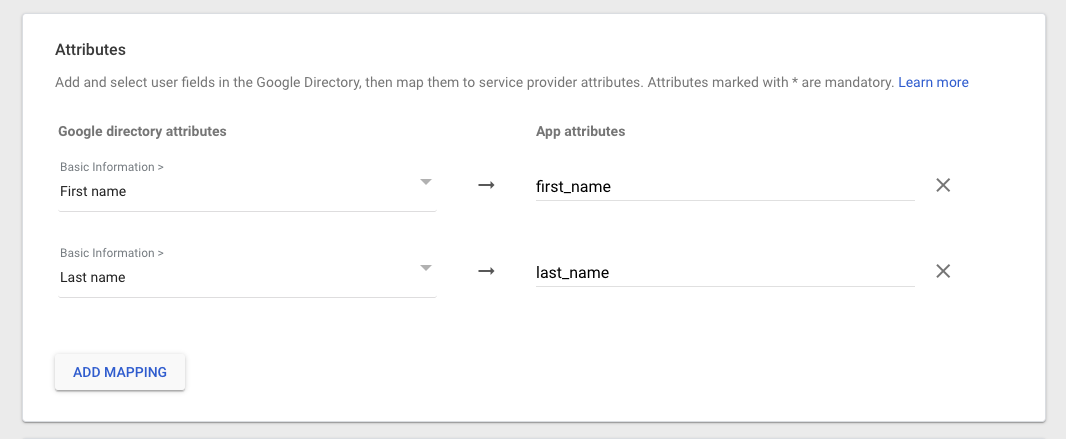
For us to correctly match user to their Clerq accounts, the SAML payload will need to contain the following attributes or claims.
- first_name
- last_name
It should look something like the images below in your identity provider config.
Identity Provider Configuration
Your identity provider creates a few configuration parameters that you need to enter into your SSO Configuration page. These are:
- Entity ID
- SSO Target URL
- X509 Certificate
These should look something like this:
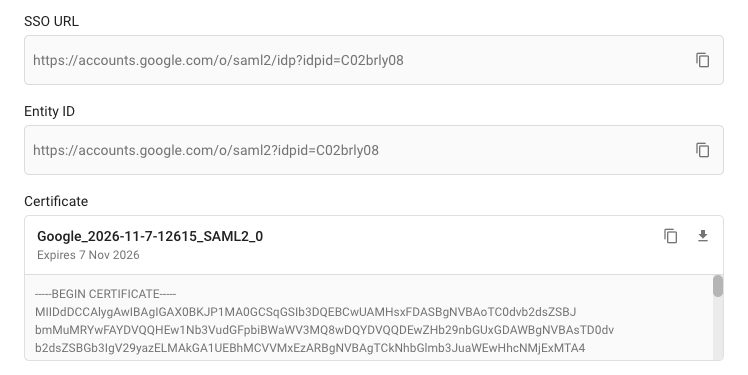
Copy and paste these into the SSO Configuration page and click Submit. Note: you must be an Admin of your account to access the SSO Configuration page.
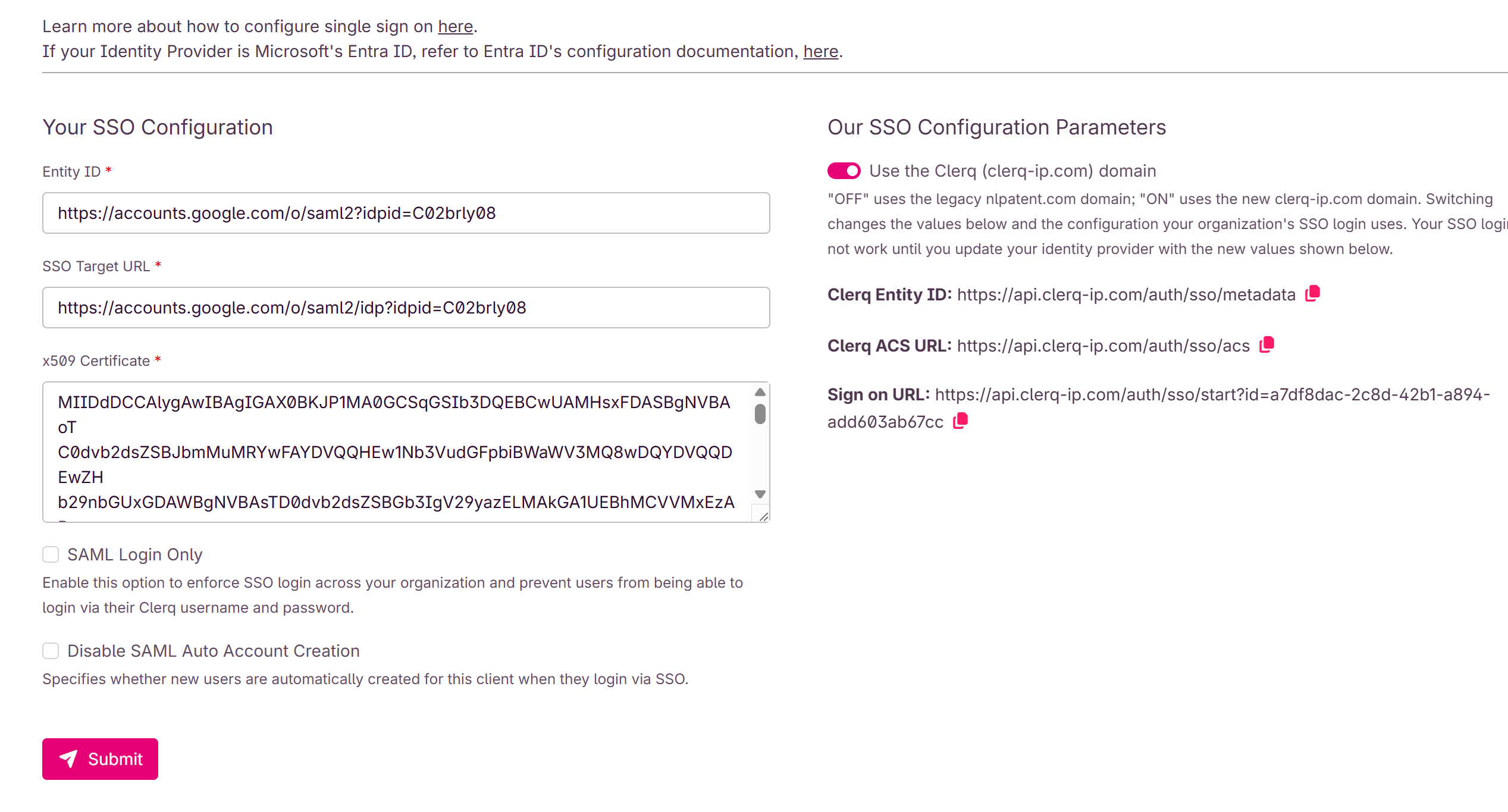
Once you've done this, you should test your integration to ensure it's working as expected and users in your organisation can successfully login via SSO.
Further Configuration Options
Disabling Username + Password Login
Once you've confirmed that your SSO integration is working correctly, you will probably want to disable username/password authentication for your account so that the only way users can login to your account is through SSO.
In order to do that, check this box:

Disabling Automatic Account Provisioning
By default, new users will be automatically provisioned in the Clerq platform when signing in via SSO (assuming you have available seats in your plan). If you do not want new users to be automatically provisioned, then check this box:

Any questions or help you need should be forwarded to support@clerq-ip.com.